
Omada
Omada HealthMedical
4.48.21K Reviews
- Version
- 26.42.0
- Installs
- 500.00K
- Age Rating
- Everyone
Screenshots
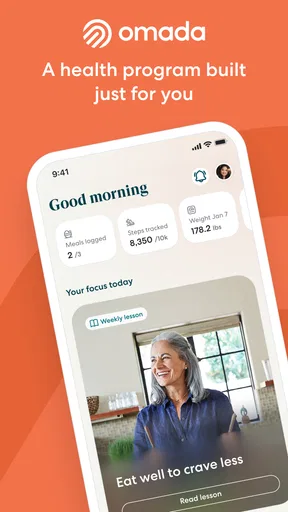
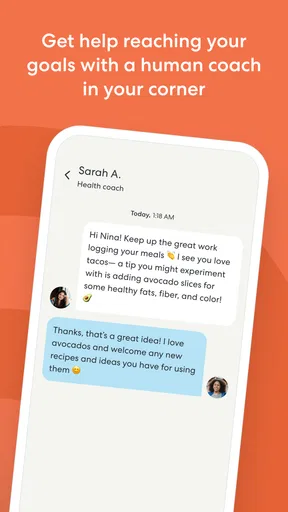
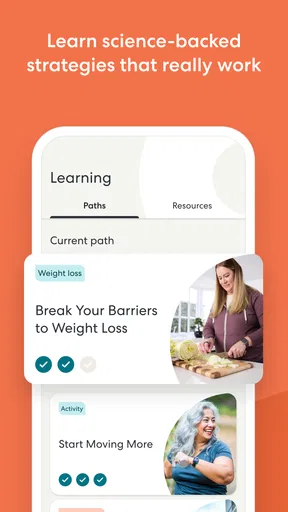
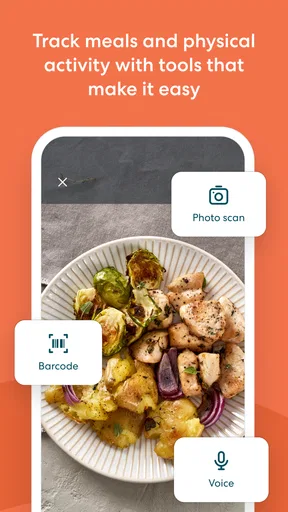
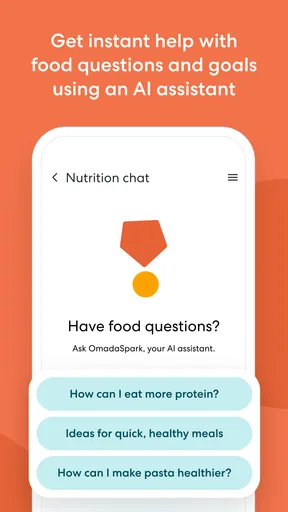
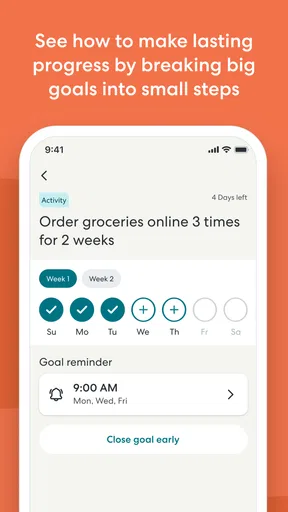
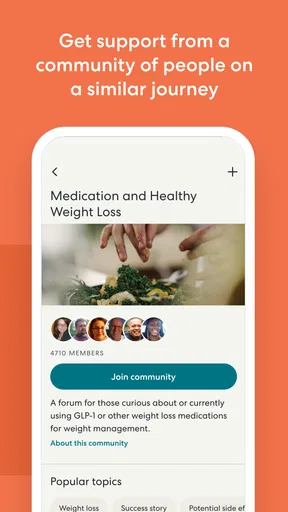
Our Review of Omada
 Analysis by Appyee
I came away from Omada with the impression that it is less a standalone health tracker and more a companion for people taking part in an Omada program. That distinction matters. If you are expecting a general medical reference, a complete symptom checker, or a replacement for appointments with a clinician, this is probably not the right fit. If you already use an Omada-supported program, however, the app can make the day-to-day side of that experience easier to follow.
Developed by Omada Health, this free medical app is aimed at keeping participants connected with their program and its routine. It is available to users rated Everyone, runs on Android devices using version 8.0 or later, and currently appears as version 26.29.0. I also found its public reception encouraging: it holds an average rating of 4.4 from around 26 thousand ratings, with more than 500 thousand installs.
Where the experience can become confusing
The first important point is that the app’s usefulness depends heavily on your relationship with the Omada program itself. The store summary describes it as a way to enhance the program experience and stay engaged, and that is a much more accurate expectation than treating it like a universal wellness dashboard. The app makes the most sense when you have access to the relevant program and know what you are supposed to complete or review inside it.
That can create an awkward first impression. Someone may install it because they want general help with weight, blood sugar, blood pressure, or another health goal, then discover that the meaningful experience is tied to program participation. The application is free to install, but “free” does not automatically mean that every program feature is available to every person. Before spending time troubleshooting, I would first confirm that you are eligible for the Omada service you intend to use and that you are signing in through the correct enrollment path.
Another common point of friction is expecting the app to explain every health result in clinical detail. I would not use it as my only source for interpreting a concerning reading or deciding whether a symptom needs urgent care. A program companion can help you stay organized and engaged, but it should not replace professional medical advice. For anything urgent, severe, or unfamiliar, contact an appropriate healthcare professional or emergency service rather than waiting for an app workflow.
The interface also asks you to accept that progress may be built from small, repeated actions rather than dramatic information. That is useful for people who benefit from structure, but less satisfying for someone who wants a deep analytics package immediately. In my view, the app works best when you open it with a specific purpose: check what needs attention, record or review the information requested by your program, and move on with your day.
Who is most likely to benefit
I would recommend trying it if you are already enrolled in an Omada program, want one place for program-related activity, and prefer gentle accountability over managing everything with separate notes and reminders. It can also suit people who are comfortable using a phone as part of a longer health routine rather than looking for a one-time consultation.
I would be more cautious for someone who only wants a generic calorie counter, a simple blood pressure log, or an independent medication reminder. Those needs may be served better by a focused tracker that does not depend on participation in a broader program. The same applies if you dislike recurring check-ins or do not want health-related tasks integrated into your daily phone habits. The app’s purpose is engagement, so its value drops when you have no intention of returning to the program regularly.
Setup checks that prevent avoidable problems
My preferred way to begin is to treat setup as a short checklist rather than tapping through quickly. First, install the current version from your normal app store and make sure the device meets the Android requirement of 8.0 or newer. If the installation fails, closes immediately, or refuses to update, checking the operating system and available storage is more sensible than repeatedly reinstalling the same package.
Next, verify the account details you plan to use. Health-program apps are especially sensitive to signing into the wrong account because a second email address can look like a technical problem when it is actually a profile mismatch. Use the same identity associated with your Omada enrollment, and keep any enrollment or invitation information nearby while setting up. I would avoid creating multiple accounts just to test different sign-in attempts; that can make it harder to tell which profile contains your program activity.
After signing in, pause long enough to look at the first screen and identify what the app considers your next action. Do not assume that every option will appear before enrollment is complete. If the screen looks empty, that may reflect account status or program availability rather than a broken installation. A useful test is to close the app normally, reopen it, and check whether the same account and program context return.
Connection quality is another simple check. If pages remain blank or an action appears stuck, switch between a reliable Wi-Fi connection and mobile data if available, then try again. I would not repeatedly press a submission button while the connection is uncertain, particularly when the action could create duplicate entries. Give the app time to finish, then confirm whether the screen changed before starting over.
It is also worth keeping the phone’s date and time set automatically. Incorrect device time can make sign-in sessions, updates, and time-sensitive screens behave strangely. This is a general device check, not a special Omada feature, but it is one of those small details that can save a great deal of unnecessary account troubleshooting.
A realistic first-day routine
Imagine that I have just joined an Omada program and want to fit the app around a busy workday. In the morning, I would open it on a stable connection, review the next program action, and avoid trying to complete everything while rushing out the door. At lunch, I might return to finish the item if it does not require immediate attention. In the evening, I would check that the activity was actually saved instead of relying on memory.
The practical lesson is to create one dependable check-in moment. I would place it next to an existing habit, such as after breakfast or before preparing for bed, but I would not turn that into pressure to constantly monitor the app. A health routine is easier to maintain when the phone supports it quietly. If notifications become distracting, I would adjust them at the device level or within the available app controls rather than abandoning the entire program.
For privacy, I would also use the same care as with any medical application. Keep the phone protected with its normal screen lock, avoid entering sensitive information while connected to an untrusted network, and do not share account credentials with family members who want to “just check something.” If another person needs access to their own program, their own account is the safer arrangement.
Recovering when the workflow breaks
When something goes wrong, I would troubleshoot in a fixed order. Start by noting exactly where the problem occurs: before sign-in, after sign-in, while opening a program area, or during a save or submission. That detail is far more useful than saying only that “the app does not work.” Then force-close the app, reopen it, and retry once on a stable connection.
If the issue continues, restart the phone and check whether an update is waiting in the app store. Keeping the application current can resolve compatibility problems, especially when the device itself has recently changed. Because the current release is 26.29.0, I would compare the installed version with the version shown in the store before assuming that the phone is running the latest build.
Clearing temporary app data can sometimes help with a damaged local session, but I would approach that step carefully. On Android, clearing cache is generally less disruptive than clearing storage or app data. I would not erase local data unless I was confident that my account information and any unsent work were safe to recover. If you have entered something important but are unsure whether it saved, do not clear storage first; document what happened and seek support.
Reinstalling is a later step, not my first response. It can refresh a damaged installation, but it also creates extra sign-in work and may remove locally held information. Before uninstalling, make sure you know the correct account credentials and understand whether any unfinished activity needs to be submitted or synchronized. After reinstalling, test one small action and confirm that the account opens correctly before attempting a longer session.
There is also a difference between an app error and an account or enrollment issue. If the application opens normally but your program, content, or expected activity is missing, I would stop repeating device fixes. Check the account being used and contact the appropriate Omada support channel with the exact email or enrollment context, the device model, operating system version, and the point where the screen stops. Do not include unnecessary medical details in a public review or an unsecured message.
How to make support more effective
A good support report should describe the sequence in plain language: “I opened the app, signed in, reached this screen, tapped this option, and then saw this result.” Include whether the problem happens on one connection or more than one, whether restarting changed anything, and whether another account on the same device behaves differently if that comparison is appropriate. Screenshots can help, but I would remove personal health information before sharing them unless the official support process specifically requires it.
I would also avoid installing unofficial copies or using random troubleshooting tools that promise to unlock program content. Medical account information deserves a conservative approach. Stick to the official app-store version, normal phone settings, and the program’s legitimate support route. The goal is to restore access without creating a second security or privacy problem.
When the app is not the cause
Some frustrations come from the surrounding health routine rather than the software. A missed check-in may reflect an overloaded day, an unclear personal goal, or a program task that does not fit your schedule. No application can solve those issues by itself. I found it more useful to decide in advance what “done” means for the day and to keep the routine small enough that I can repeat it on a difficult day.
It is also easy to blame the app when the underlying measurement is inconsistent. If you are recording health information with a separate device, use the technique recommended for that device and keep conditions reasonably consistent. A changing result does not automatically indicate a software problem. Likewise, if a value seems alarming, do not wait for the next app refresh to decide what to do; seek medical guidance.
Another boundary is the phone itself. An aging battery, aggressive background restrictions, low storage, an unstable network, or an outdated operating system can make any connected health workflow unreliable. If other apps are also freezing or failing to connect, I would investigate the device and network before concluding that Omada is responsible. Testing on a different reliable connection is particularly helpful when only loading or synchronization appears affected.
Compared with a conventional notebook, the app offers a more structured digital place for participating in the Omada experience, but a notebook remains more flexible and works without a login or connection. Compared with a general fitness tracker, Omada is more program-centered and less useful as an independent activity dashboard. Compared with a medical reference app, it is designed around engagement and participation rather than broad educational lookup. Choosing between these options depends on whether you want guided program involvement or simply a blank tool for recording information.
The trade-off is important: structure can help me stay consistent, but it can also feel restrictive when my needs fall outside the program’s intended path. I would not install it expecting to customize every part of a health plan. I would use it when the program itself is the main service and the phone is there to support that relationship.
My practical verdict after using it
Omada is a sensible companion for people who are already connected to an Omada Health program and want a straightforward way to stay involved. Its strongest quality is focus. Rather than trying to be every kind of health app at once, it supports the ongoing program experience. That makes it easier to recommend to an enrolled participant than to someone browsing medical apps without a specific program in mind.
The setup is not difficult, but account context matters more than I expected. Confirming eligibility, using the correct sign-in details, checking the Android requirement, and testing the connection early can prevent many false alarms. When something fails, a measured recovery process is safer than repeatedly tapping, clearing everything, or creating new accounts.
I would skip it if I need a fully independent tracker, detailed clinical interpretation, or a tool that remains useful without program participation. I would also skip it if I know I will not return regularly, because its central benefit comes from sustained engagement rather than a single installation.
For the right user, though, the free price and broad availability make it easy to try, while the Everyone age rating keeps the basic entry barrier low. My final view is positive but specific: use Omada as the digital doorway to an Omada program, not as a substitute for medical care or a universal health toolbox. If that matches what you need, it is worth keeping on your phone and building into a calm, repeatable routine.
Privacy and Permissions
See what permissions an app requests and how it handles your data.
- Photos/Media/Files
- read the contents of your USB storage, modify or delete the contents of your USB storage
- Storage
- read the contents of your USB storage, modify or delete the contents of your USB storage
- Camera
- take pictures and videos
- Microphone
- record audio
- Other
- view network connections, pair with Bluetooth devices, change network connectivity, full network access, change your audio settings, run at startup, control vibration, prevent device from sleeping, Google Play license check
Verdict
Strengths of Omada
- Centralized control for Omada network devices
- Clear dashboards for monitoring network performance
- Supports remote management through the cloud
- Useful tools for configuring multiple access points
- Helps identify connected clients and network issues
Limitations of Omada
- Requires compatible TP-Link Omada hardware to be useful
- Some advanced features may require an Omada controller
- Setup can feel complex for users new to networking
- Cloud management depends on a stable internet connection
- Performance varies depending on the controller and device model
Similar Picks in This Category
View All
WebMD: Symptom Checker
WebMD, LLC4.1

Microphone Amplifier
DOSA Apps4.2

Anatomy Learning - 3D Anatomy
3D Medical OU4.5

Period Tracker and Calendar
SimpleInnovation4.9

GoodRx: Prescription Coupons
GoodRx4.8

CVS Health
CVS Pharmacy4.5
Frequently Asked Questions
What is Omada, and what can I use it for?
Omada is TP-Link’s management platform for compatible networking equipment, including access points, switches, routers, and gateways. It lets you configure and monitor a network from a mobile device, check connected clients, review device status, apply basic settings, and receive notifications. It is mainly intended for home users, small businesses, and network administrators who want centralized control without relying entirely on a desktop interface.
Does Omada work with every TP-Link router and Wi-Fi device?
No. Omada is designed for TP-Link devices that belong to the Omada ecosystem, and compatibility depends on the exact model, hardware version, firmware, and management mode. Older consumer routers or products from other TP-Link product lines may not appear in the app. Before downloading, check the supported-device list and confirm that your access point, switch, gateway, or controller can be managed through Omada.
Do I need an Omada hardware controller or cloud account to use the app?
The requirements depend on how your network is configured. Some Omada devices can be managed individually, while larger or more advanced installations commonly use an Omada hardware controller, software controller, or compatible cloud-based management option. A TP-Link account may be needed for remote access and cloud features, whereas local management can be available without the same level of online integration.
Can I manage my Omada network remotely from outside my home or office?
Remote management is possible when your Omada installation is linked to a supported controller and cloud account, and when remote access has been enabled correctly. The app can then provide access to dashboards, device information, client activity, and selected configuration tools while you are away. However, availability varies by controller, firmware, permissions, and internet connection, so some advanced settings may still require local access.
Is Omada suitable for beginners, and are there any limitations?
Omada offers a reasonably clear mobile interface, but it is more administrator-focused than a simple plug-and-play Wi-Fi app. Beginners can monitor devices and change common settings, yet VLANs, multiple access points, roaming, firewall rules, and controller adoption may require networking knowledge. The app is useful for routine management, although complex troubleshooting and detailed configuration are often easier through the web-based controller.
